

Offering a free PDF download in exchange for an email address is a well-known and effective strategy for growing your email list. It’s a simple concept: you give something valuable away – like a checklist, an ebook, or a short guide – and in return, the visitor shares their email with you. This exchange can be the first step in building a relationship with your audience.
It’s often recommended as a best practice in content marketing. A targeted email list gives you direct access to people who are genuinely interested in your topic. These subscribers are more likely to become regular readers, buyers, or even advocates of your work. Whether you’re blogging about finance, design, education, or any niche, your email list is one of your most important assets.
In this post, I’ll show you exactly how to set this up on your WordPress site. We’ll look at a few different methods:
- First, I’ll show you how – if you’re using a good managed WordPress host – you might be able to do this without even installing a plugin.
- Then we’ll look at the most popular plugin-based methods, with a focus on free and easy-to-use tools that work well even if you’re just starting out.
Let’s dive in.
Table of contents:
- Check if your managed hosting already offers the option
- Using a Plugin: The Newsletter Plugin (Free & Powerful)
- Other Popular Plugins for Offering PDF Downloads in Exchange for Emails
- Conclusion
Check if your managed hosting already offers the option
Before you start looking for plugins, it’s worth checking if your current WordPress hosting already provides this feature. Many modern managed WordPress platforms offer built-in tools for capturing emails and sending automatic welcome messages—without the need to install anything extra.
For example, if you’re using WordPress.com, as I do for this very site (MoneyPlato.com), you can set up a simple and effective lead magnet workflow directly from your dashboard. When someone subscribes to your newsletter, they automatically receive a welcome email – and you can easily customize that message.
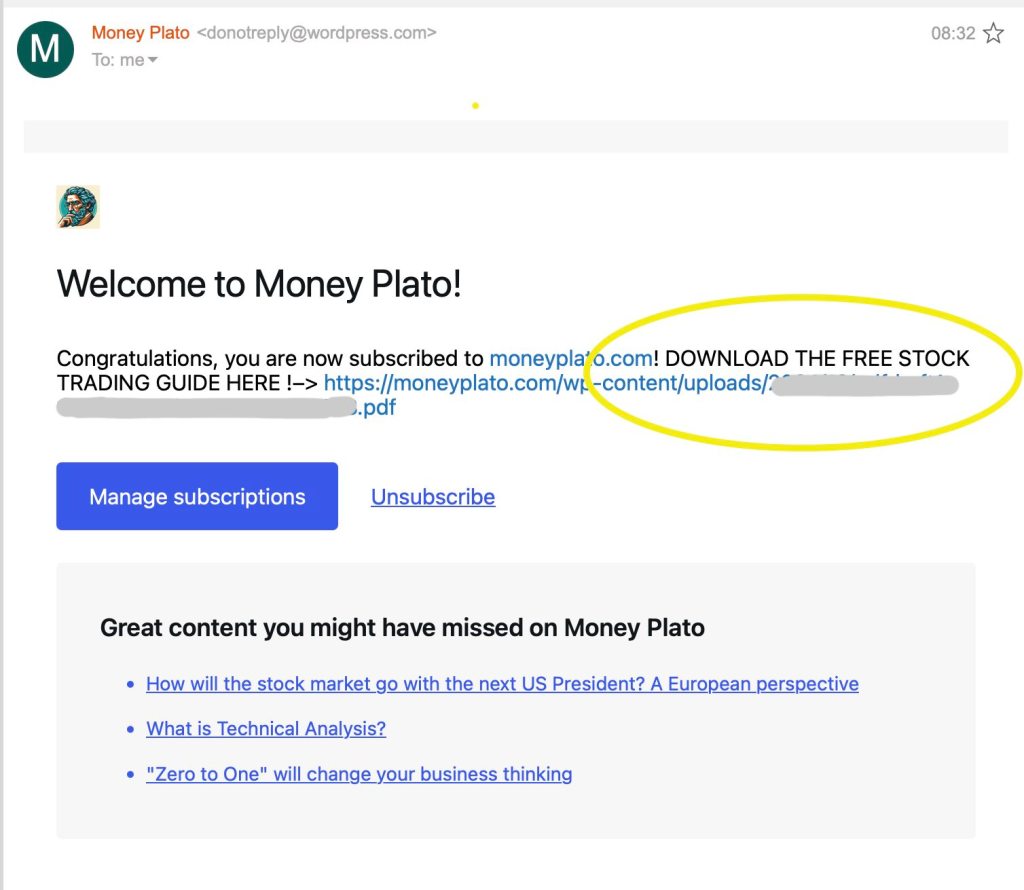
In that welcome email, you’re free to paste a direct link to a PDF file – this could be a guide, a checklist, or any resource you want to share. The file can be something you’ve uploaded to your Media Library, or hosted elsewhere. No need for forms, scripts, or extra configuration: just add the link into the welcome message, and it works.
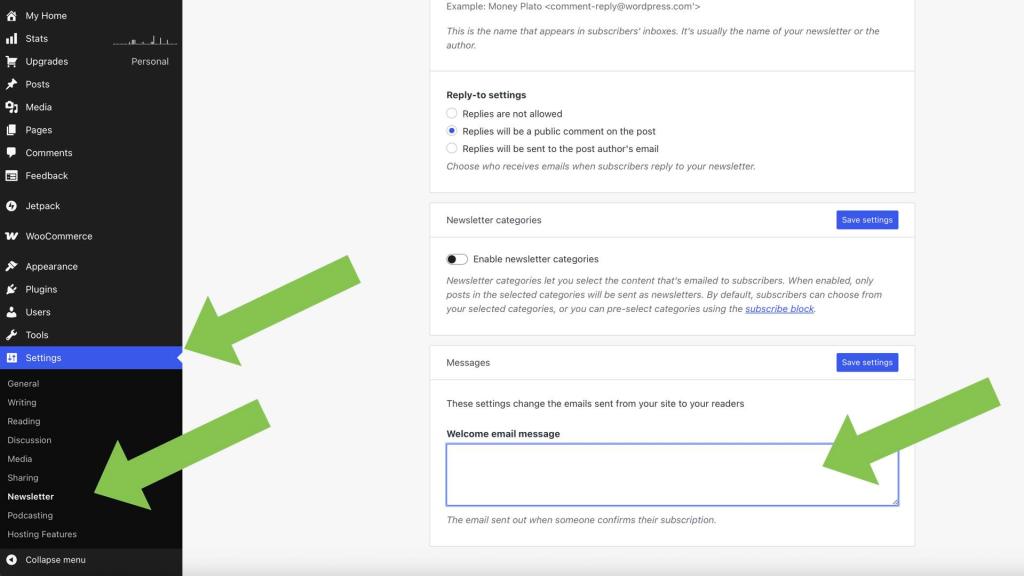
To set it up on WordPress.com:
- Go to your Dashboard.
- Navigate to Settings
- Select Newsletter.
- Scroll down to the Messages section and locate the “Welcome email message.”
- Add your custom message and paste your PDF link.
- Click Save Settings.
It’s easier if I directly show you the actual dashboard of my site, since it takes a second to find the option. Take a look, here’s the screenshot: select the Newsletter tab (under “Settings”), scroll down and you’ll find the box where you can put the welcome email message, and also possibly a link to a pdf if you want:
Here’s a real world example, in fact this is the welcome email that subscribers to MoneyPlato.com receive!:
This method is quick, clean, and great for beginners who want to start collecting emails without diving into third-party tools – especially if you’re already using WordPress.com or a similar all-in-one hosting platform.
WordPress.com is a premium hosting solution trusted by millions worldwide. I’ve been consistently impressed by its speed, ease of use, and the seamless integration of features – from email marketing and SEO tools to monetization options and built-in analytics. It’s definitely worth checking out if you want an all-in-one platform that just works.
Using a Plugin: The Newsletter Plugin (Free & Powerful)
Traditionally, the go-to method for offering a downloadable PDF in exchange for an email address has been using a plugin. And while many popular tools exist – like Mailchimp or ConvertKit – some of them can become expensive as your subscriber list grows. If you’re looking for a free and beginner-friendly alternative, I highly recommend trying The Newsletter Plugin for WordPress.
This is not a sponsored post. I’m simply a satisfied user who has tested it both on my blog and in a YouTube video where I go over the basics. I’ve also written about it in another post. What makes this plugin stand out is that it offers a lot of features for free, including the ability to collect email subscribers and send custom welcome emails – which is exactly what we need to deliver a PDF download.
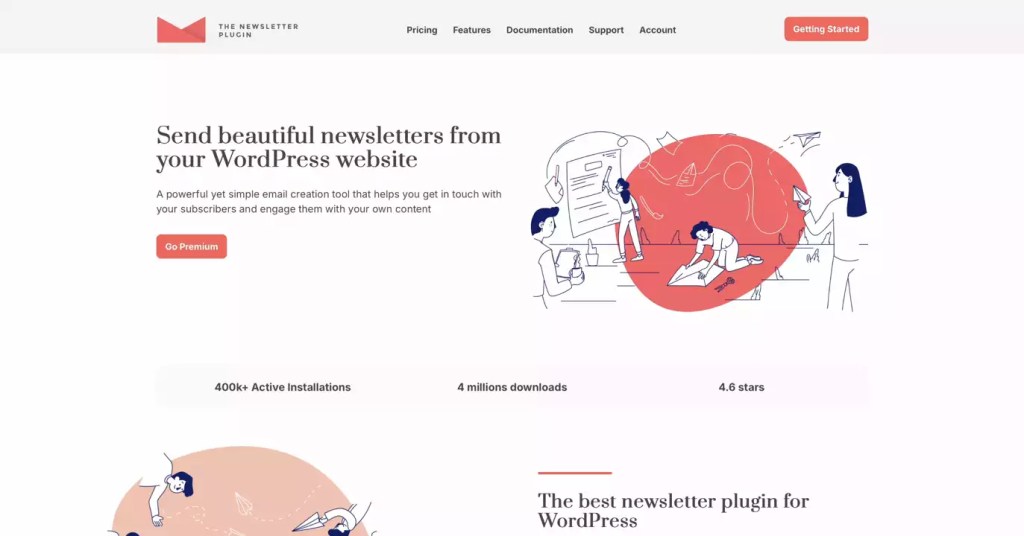
In the welcome email settings, you can include a direct download link to your PDF file, along with a styled message and a clear call-to-action button. It works well, it’s easy to set up, and it looks professional.
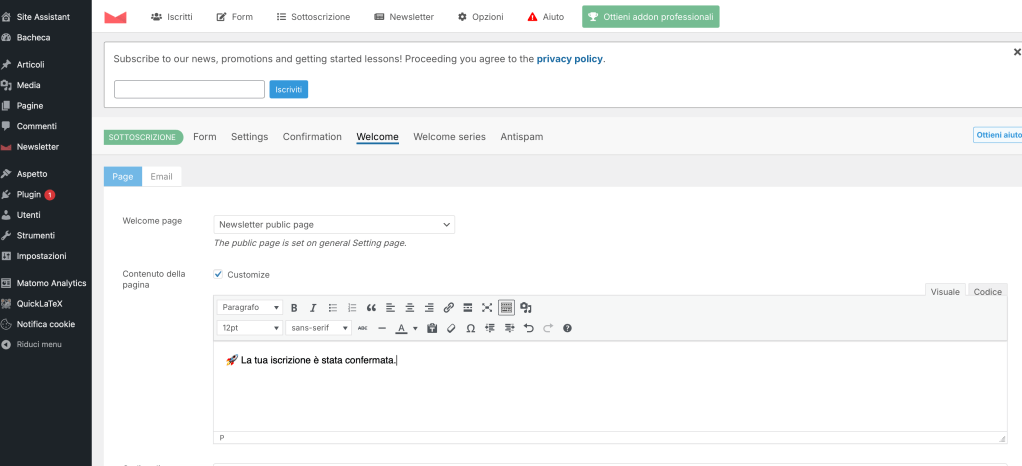
Here’s a screenshot of another website of mine. I use The Newsletter plugin for that site, and the welcome email message is highly customizable, so it’s easy to add a link to a pdf or anything you like:
Compared to other platforms, The Newsletter Plugin:
- Does not limit the number of subscribers on the free plan.
- Has a visual, block-style email composer, similar to the Gutenberg editor in WordPress.
- Supports sending newsletters manually or scheduling them in advance.
- Offers optional paid add-ons, but the free version is fully usable on its own.
- Has a solid user base and is well maintained by its team.
You won’t get full automation (e.g., timed sequences) unless you upgrade, but for most creators just starting out, this is more than enough. It’s an excellent choice if you want to grow your list without committing to a costly plan right away.
Plus, it fits a smart strategy: keep your investment minimal until your site gains traction—save your money now and scale your tools later.
You can check out the plugin on their official site or directly through the WordPress plugin repository.
Other Popular Plugins for Offering PDF Downloads in Exchange for Emails
Many plugins offer this feature – but not all are simple. If you browse online forums threads on this topic, you’ll quickly notice that many users recommend a variety of plugins to offer a PDF download in exchange for an email address. In fact, numerous WordPress plugins – especially those geared toward email marketing or form creation – include this functionality in one form or another.
However, it’s worth noting that the more complex the plugin, the more articulate and layered the procedure might be. Some tools offer an impressive range of features, but setting up a simple lead magnet (like a PDF download) can turn into a multi-step process that’s not always beginner-friendly.
Still, here are three popular plugins commonly used for this purpose:
- WPForms: A user-friendly drag-and-drop form builder that allows you to create a form to collect emails, then automatically send a download link via the confirmation message or a follow-up email. It’s intuitive and well-documented.
- Contact Form 7: A classic form plugin that many still rely on. With the help of add-ons or a bit of custom setup, you can configure it to send a PDF after form submission.
- MailPoet: Another powerful (but pricey!) email marketing plugin that integrates seamlessly with WordPress. It includes tools to build subscriber forms and automated welcome emails – ideal for including a direct link to a downloadable PDF.
While these plugins can certainly get the job done, they may require a bit more configuration and learning curve compared to simpler, purpose-built tools like The Newsletter Plugin or the built-in tools offered by managed hosting services like WordPress.com.
Conclusion
Offering a free PDF in exchange for an email address is one of the most effective and time-tested strategies to build your mailing list — whether you’re growing a blog, launching a product, or simply creating a loyal audience. As we’ve seen, you don’t always need a plugin: if you’re using a managed WordPress hosting like WordPress.com, you can easily place a download link in the welcome email to new subscribers.
If you prefer more flexibility, free plugins like The Newsletter Plugin are a fantastic option — easy to set up, beginner-friendly, and without the limitations of many commercial alternatives. And while more advanced tools like WPForms, Contact Form 7, or MailPoet can also do the job, they may require extra steps or add-ons.
In the end, the best solution is the one that matches your technical comfort level and your goals. Keep it simple, stay consistent, and focus on delivering real value — that’s how you turn a simple PDF into the beginning of a great relationship with your audience.
👉 Ready to get started?
If you’re considering launching a new site, consider one of the amazing WordPress.com plan — a great way to save while getting access to premium tools, email marketing features, and excellent performance.
Check out the details on my dedicated blog page, follow the link, and start building your audience today!
What great content will you plan to share with your audience? Let me know in the comments!









 Money Plato
Leave a comment